Find the decision again.
Open the review history to see who responded and which revision they approved.
A WORKSPACE FOR CLIENT CONTENT REVIEW
Write with your team. Collect specific client feedback. Keep every approval tied to the version they actually read.
14 days free · No credit card required
Articles / Website copy / Case studies / Newsletters
A REVIEW, FROM START TO FINISH
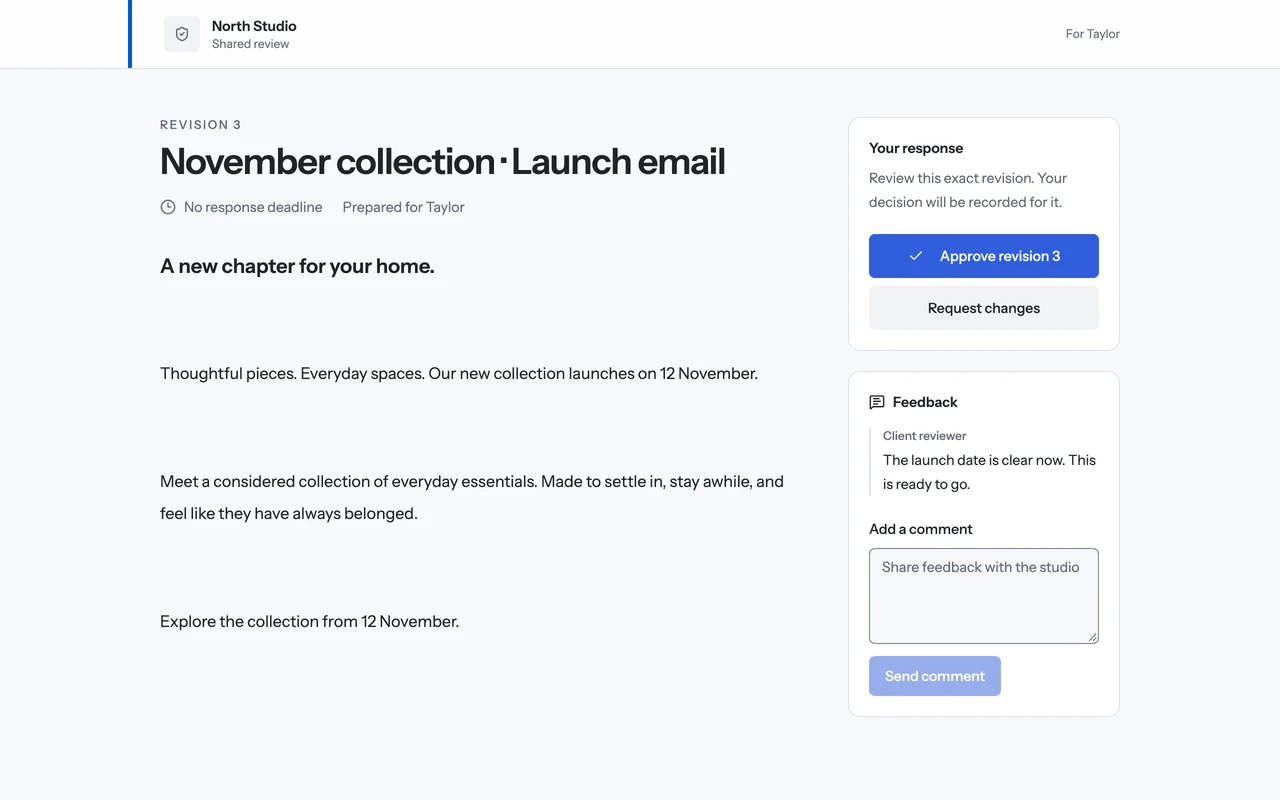
A client asks for a launch date. Your team makes the edit, submits a new revision, and keeps the approval with that exact copy.
ILLUSTRATIVE WALKTHROUGH / LAUNCH EMAIL
Writers and editors work on the draft together. Finish the internal review before inviting your client.
THE DRAFT · REVISION 02
Our new collection is almost here.
Ready for client review.
A private link opens a frozen review copy. Clients can comment or suggest wording, without an account or access to your internal notes.
THE CLIENT’S FEEDBACK
Can we say when it launches?
A useful comment, beside the copy it refers to.
Apply the change to your working draft and submit a new revision. The client’s approval stays with the copy they reviewed.
THE UPDATED COPY · REVISION 03
Our new collection launches on 12 November.
Approved on Revision 03.
A client’s “yes” means less when nobody remembers which draft they saw. Studio keeps the revision, feedback, and decision together—even after the working draft moves on.
Open the review history to see who responded and which revision they approved.
Clients see their review copy. Your live draft, team notes, and other projects stay in your workspace.
Add your studio’s name, logo, and accent color to the client’s review page.
THE STUDIO PLAN
One subscription gives your team access to the normal workspace and Studio workspace. External reviewers don’t take up your team’s staff seats.
Run a real client draft through the review flow during your 14-day trial. Subscribe if it works for your team.
$59USD / workspace
per month
After your free trial. No credit card to start.
Normal workspace + Studio workspace included
Start my free trialMonthly billing. Cancel any time.
THE PRACTICAL DETAILS
You get 14 days to run a real client project through Studio: prepare your draft, review it with your team, invite a client, and record their decision. No credit card is required. Create an account, then start your Studio trial.
No. Your client opens a private review link to read the copy, leave feedback, and approve or request changes. External reviewers are included and don't use your team's staff seats.
One $59/month subscription includes access to the normal workspace and Studio workspace, with 5 staff, 10 active projects, and 20 GiB of storage. Studio includes suggested edits, client sign-off, review history, and basic studio branding.
Clients review a frozen copy, so their feedback never silently changes your working draft. Your team decides which suggestions to accept. Internal notes, live drafts, and other workspace content stay private.
The earlier approval stays attached to the revision your client actually reviewed. Submit the updated draft as a new revision for a fresh review. You keep the history without confusing old sign-off with new copy.
Subscribe to keep creating and reviewing work. If you don't, your existing work remains available to read and export. You won't be charged automatically, because starting the trial doesn't require a card.
PUT IT TO WORK
Bring your team, invite a client, and see if Studio earns a place in your workflow.
14 days free · No credit card required